FixIt CLI

👉 English | 中文
🛠️ A node-based tooling for FixIt site initialization.
System Requirements
If you use the Hugo Modules feature to load the theme, you will also need to install Go.
Usage
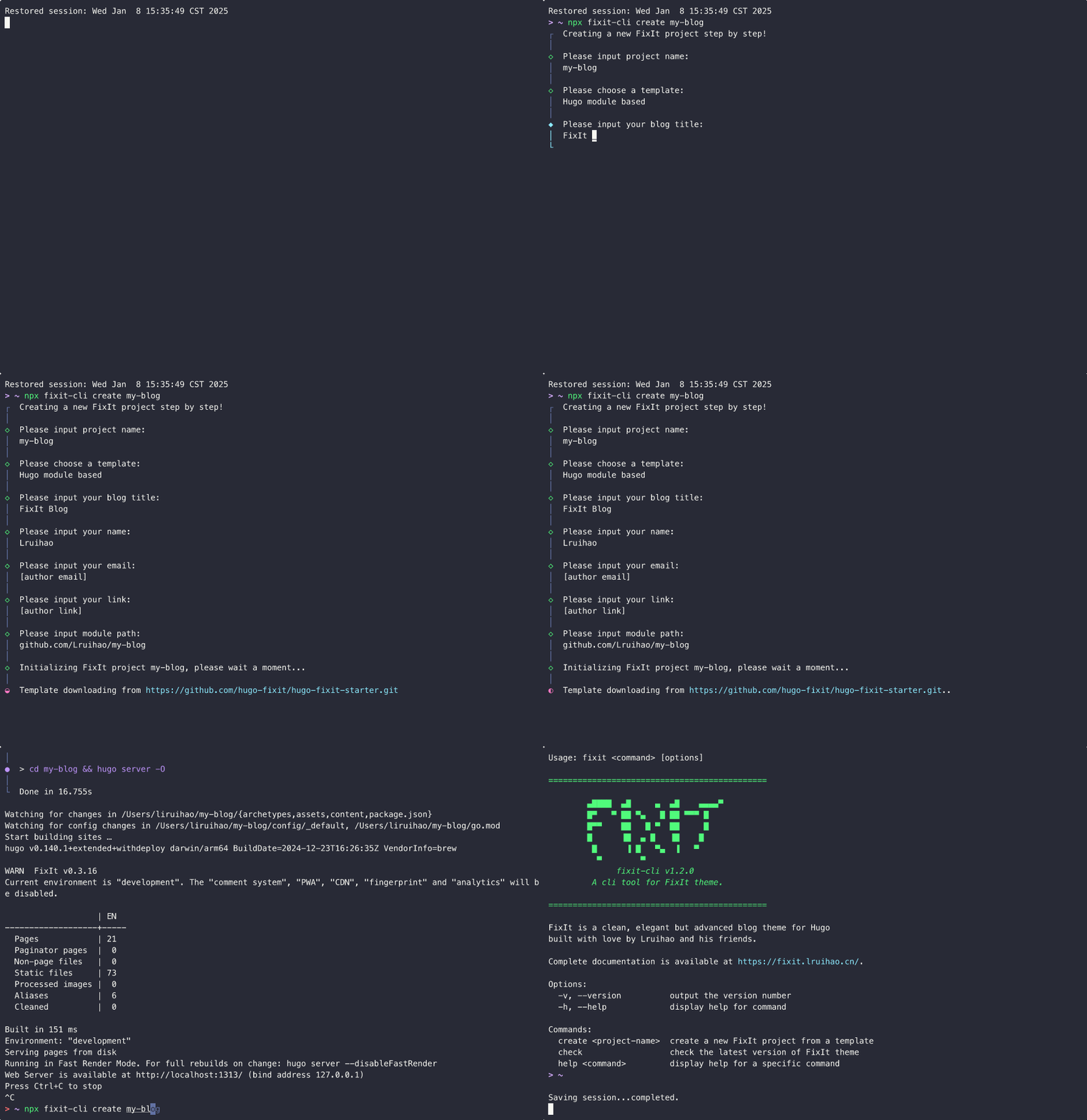
It is very convenient to create a new FixIt project by running fixit-cli directly using pnpx or npx.
For example, create a new site named my-blog:
1
| pnpx fixit-cli create my-blog
|
Of course, you can also install fixit-cli globally and use the fixit command.
1
2
3
4
5
| npm install -g fixit-cli
# or
pnpm add -g fixit-cli
# or
yarn global add fixit-cli
|
create
Create a new FixIt project.
1
| fixit create [project-name]
|
Create a new FixIt component.
1
| fixit create component [component-name]
|
split
Split the hugo.toml configuration file into the config/_default directory.
Split a local file:
Split a remote file:
1
2
3
| fixit split https://github.com/hugo-fixit/FixIt/raw/refs/heads/main/hugo.toml
# or
fixit split https://gitee.com/lruihao/FixIt/raw/main/hugo.toml
|
Specify output directory:
1
| fixit split hugo.toml -o config/development
|
Split and convert to YAML format:
1
| fixit split hugo.toml -y
|
Fetch and split configuration from the latest FixIt release:
Fetch and split the latest release configuration, then convert to YAML:
toml2yaml
Convert TOML configuration files to YAML format, supporting single files or entire directories.
Convert a single file:
1
| fixit toml2yaml hugo.toml
|
Convert an entire directory:
1
| fixit toml2yaml config/
|
Convert and replace the original file (delete TOML file):
1
2
| fixit toml2yaml hugo.toml -r
fixit toml2yaml config/ -r
|
check
Check the latest version of the FixIt theme.
Getting Help
View all available commands:
 1
 2
 3
 4
 5
 6
 7
 8
 9
10
11
12
13
14
15
16
17
18
19
20
21
22
23
24
25
26
27
28
29
30
| Usage: fixit <command> [options]
=============================================
▄████ ▄█ ▄ ▄█ ▄▄▄▄▀
█▀ ▀ ██ ▀▄ █ ██ ▀▀▀ █
█▀▀ ██ █ ▀ ██ █
█ ▐█ ▄ █ ▐█ █
█ ▐ █ ▀▄ ▐ ▀
▀ ▀
fixit-cli v1.4.0
A cli tool for FixIt theme.
=============================================
FixIt is a clean, elegant but advanced blog theme for Hugo
built with love by Lruihao and his friends.
Complete documentation is available at https://fixit.lruihao.cn/.
Options:
-v, --version output the version number
-h, --help display help for command
Commands:
create|new [project-name] create a new FixIt project/component from a template
split [options] [file] split hugo.toml into config/_default directory
toml2yaml [options] [file] convert TOML file(s) to YAML format (support directory)
check check the latest version of FixIt theme
help [command] display help for command
|
Development
Install dependencies:
Run the CLI in development mode:
Link/Unlink the package to/from the global package directory:
1
2
| pnpm link
pnpm unlink fixit-cli
|
Install/uninstall the package globally from a local path:
1
2
| pnpm add -g path/to/fixit-cli
pnpm remove -g fixit-cli
|
TODO List
- Add theme component selection options after template selection in
fixit create command
This CLI tool is developed based on the following projects:
Author
Lruihao
 FixItTheme for Hugo