FixIt CLI

👉 中文 | English
🛠️ 一个基于 Node.js 开发的用于 FixIt 站点初始化的脚手架工具。
系统依赖
如果你使用 Hugo 模块 功能加载主题,你还需要安装 Go。
使用
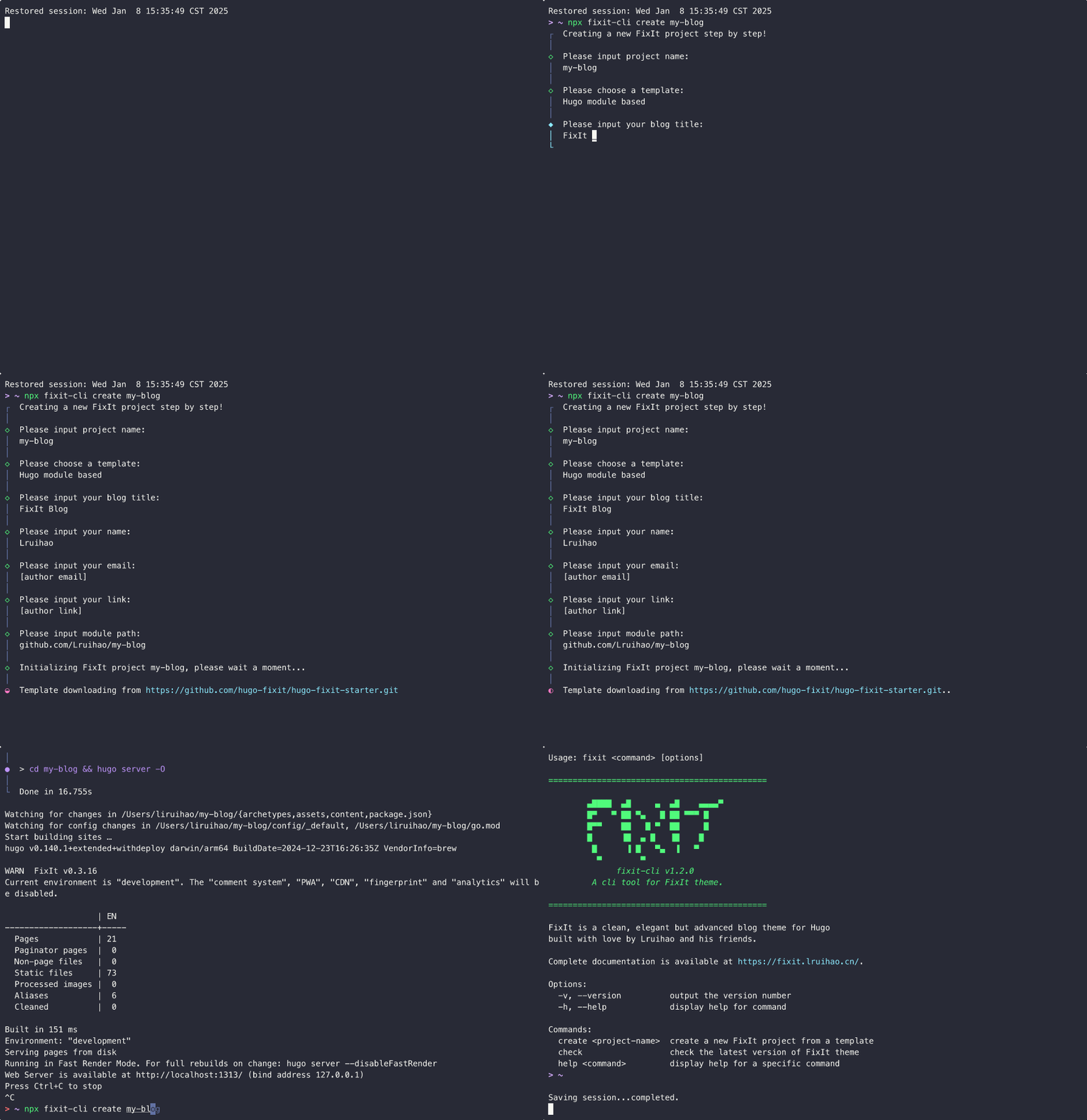
使用 pnpx 或者 npx 直接运行 fixit-cli,创建一个新的 FixIt 项目会非常方便。
例如,创建一个名为 my-blog 的站点:
1
| pnpx fixit-cli create my-blog
|
当然你也可以全局安装 fixit-cli,然后使用 fixit 命令。
1
2
3
4
5
| npm install -g fixit-cli
# 或者
pnpm add -g fixit-cli
# 或者
yarn global add fixit-cli
|
create
创建一个新的 FixIt 项目。
1
| fixit create [project-name]
|
创建一个新的 FixIt 组件。
1
| fixit create component [component-name]
|
split
将 hugo.toml 配置文件分割到 config/_default 目录。
分割本地文件:
分割远程文件:
1
2
3
| fixit split https://github.com/hugo-fixit/FixIt/raw/refs/heads/main/hugo.toml
# 或者
fixit split https://gitee.com/lruihao/FixIt/raw/main/hugo.toml
|
指定输出目录:
1
| fixit split hugo.toml -o config/development
|
分割后转换为 YAML 格式:
1
| fixit split hugo.toml -y
|
获取并拆分 FixIt 最新 release 的配置:
获取并拆分最新 release 的配置并转换为 YAML 格式:
toml2yaml
将 TOML 配置文件转换为 YAML 格式,支持单个文件或整个目录。
转换单个文件:
1
| fixit toml2yaml hugo.toml
|
转换整个目录:
1
| fixit toml2yaml config/
|
转换后替换原文件(删除 TOML 文件):
1
2
| fixit toml2yaml hugo.toml -r
fixit toml2yaml config/ -r
|
check
检查 FixIt 主题的最新版本。
更多帮助
获取所有可用命令的帮助信息:
 1
 2
 3
 4
 5
 6
 7
 8
 9
10
11
12
13
14
15
16
17
18
19
20
21
22
23
24
25
26
27
28
29
30
| Usage: fixit <command> [options]
=============================================
▄████ ▄█ ▄ ▄█ ▄▄▄▄▀
█▀ ▀ ██ ▀▄ █ ██ ▀▀▀ █
█▀▀ ██ █ ▀ ██ █
█ ▐█ ▄ █ ▐█ █
█ ▐ █ ▀▄ ▐ ▀
▀ ▀
fixit-cli v1.4.0
A cli tool for FixIt theme.
=============================================
FixIt is a clean, elegant but advanced blog theme for Hugo
built with love by Lruihao and his friends.
Complete documentation is available at https://fixit.lruihao.cn/.
Options:
-v, --version output the version number
-h, --help display help for command
Commands:
create|new [project-name] create a new FixIt project/component from a template
split [options] [file] split hugo.toml into config/_default directory
toml2yaml [options] [file] convert TOML file(s) to YAML format (support directory)
check check the latest version of FixIt theme
help [command] display help for command
|
开发
安装依赖项:
在开发模式下运行 CLI:
将包链接/取消链接到全局包目录:
1
2
| pnpm link
pnpm unlink fixit-cli
|
从本地路径全局安装/卸载包:
1
2
| pnpm add -g path/to/fixit-cli
pnpm remove -g fixit-cli
|
TODO List
fixit create 命令在选择模板后增加主题组件选项选择步骤
相关项目
本 CLI 工具是基于以下项目开发的:
作者
Lruihao
 FixItHugo 主题